
What you’ll need
- Owner or admin access.
Screens shown with a fictional demo practice and AI-generated model photos.
-
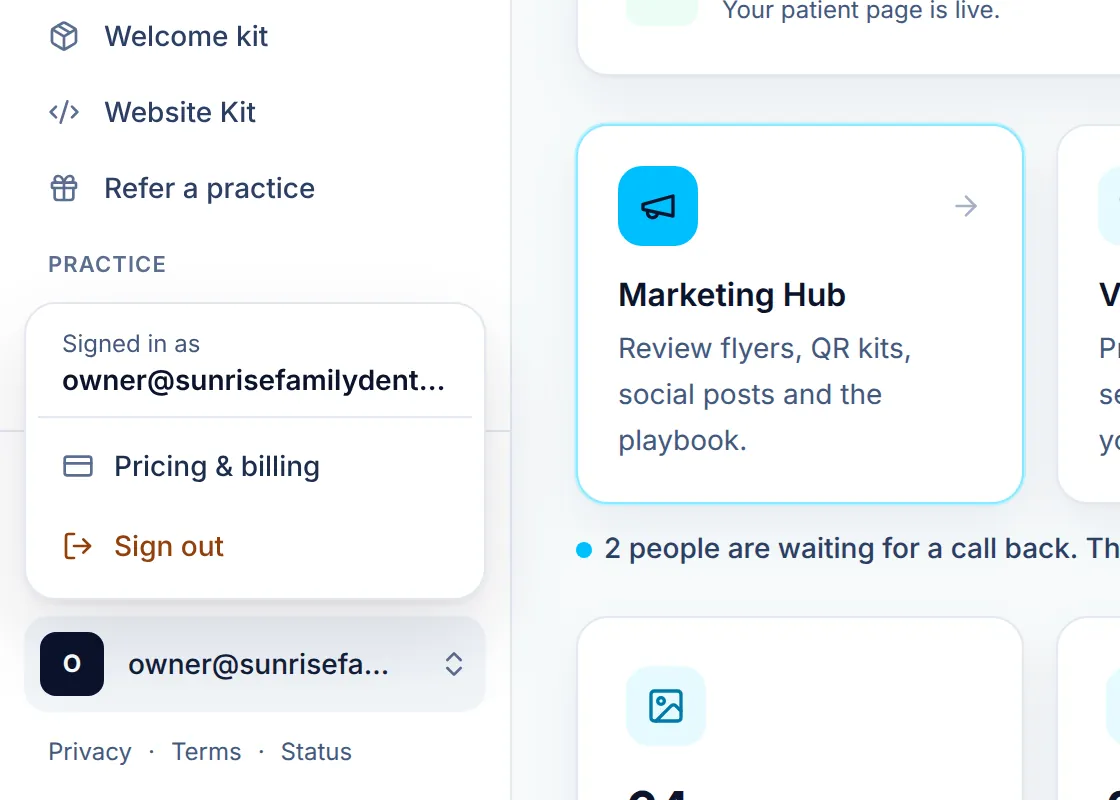
Step 1: Open billing from your account menu
-
Step 2: Manage your card and invoices
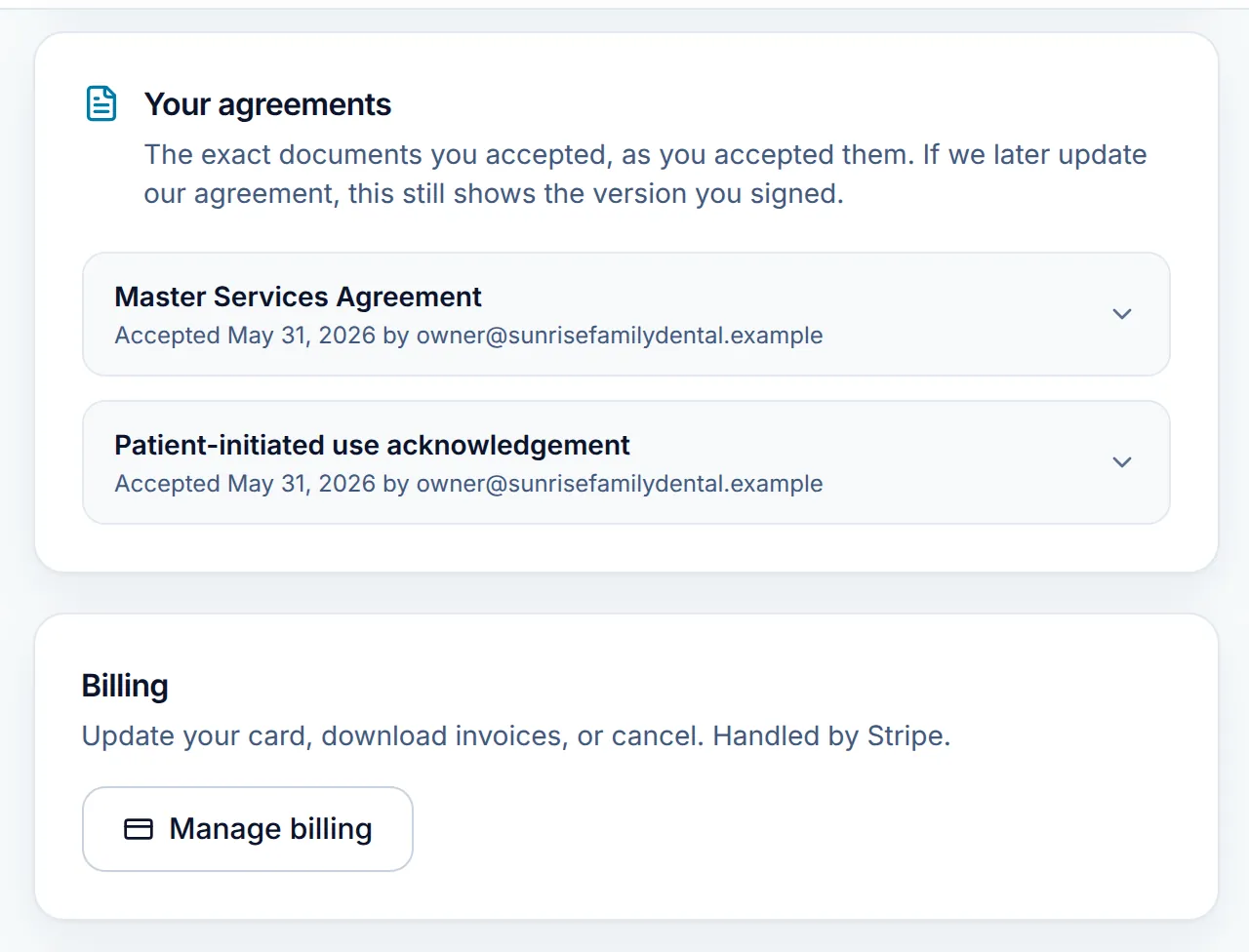
Click Manage billing to open Stripe’s secure billing page, where you update your card, download invoices or cancel.
Just above, Your agreements keeps the exact documents you accepted, such as the Master Services Agreement. Open one to read it or download the signed copy as a PDF.
-
Step 3: Choose your email alerts
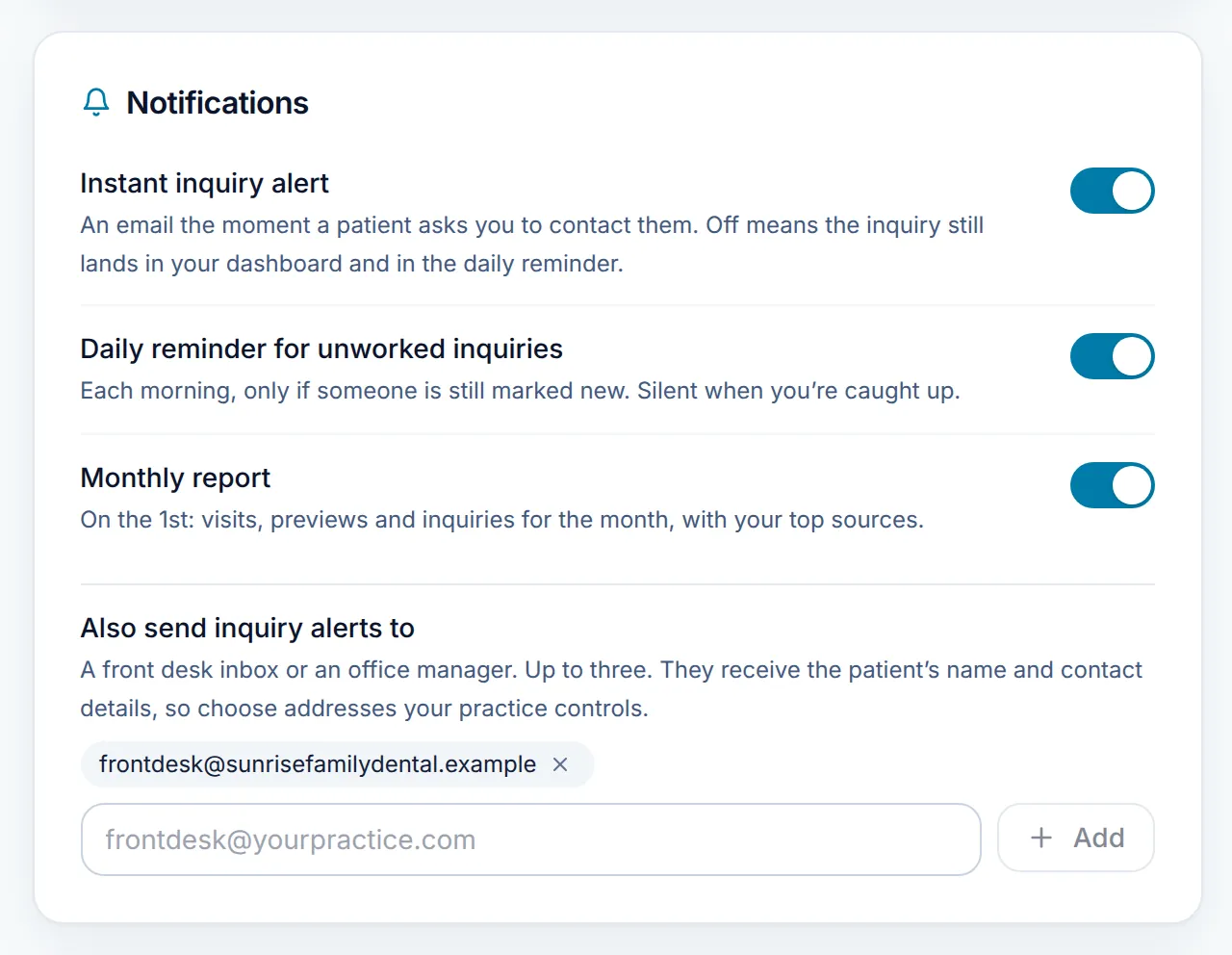
In Notifications, each switch saves as soon as you flip it:
- Instant inquiry alert: an email the moment a patient asks you to contact them.
- Daily reminder for unworked inquiries: each morning, only while someone is still marked New.
- Monthly report: on the 1st, your visits, previews, inquiries and top sources.
-
Step 4: End the trial early and subscribe
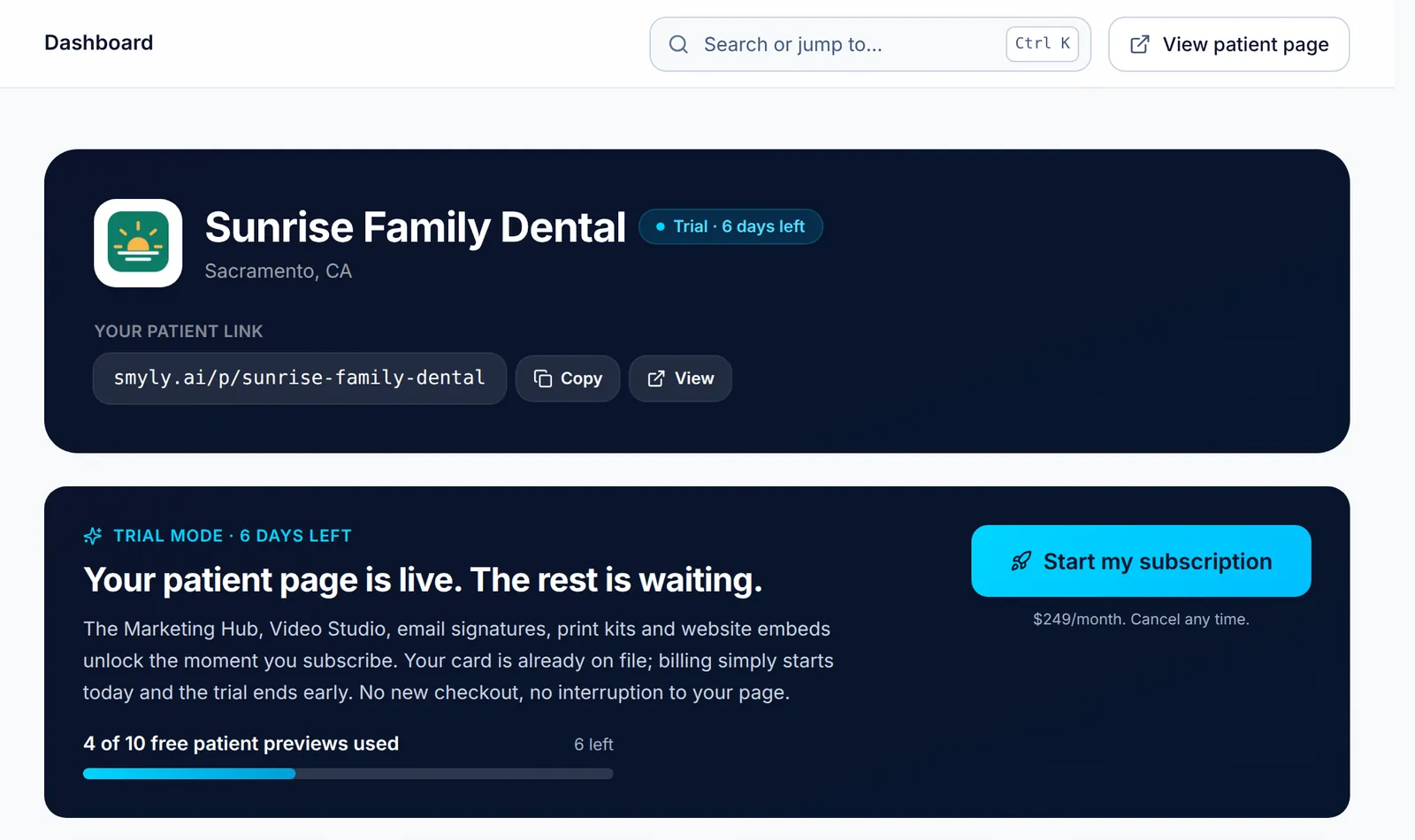
During the trial, the dashboard shows the trial preview meter and the days left. Click Start my subscription to start billing today and unlock the Marketing Hub and Settings right away. Your card is already on file, so there is no new checkout.
-
Step 5: If a payment fails
If Stripe cannot take payment, your patient page goes offline until it can. The dashboard says Your patient page is offline with an Update card button, and your page comes straight back once the card works.
Good to know
- Covered by an organization’s program? Your dashboard says so, and there is no card or invoice to manage.
Related guides
-
Add your front desk and associates
Give teammates their own sign-in, choose Front desk or Admin, and manage invites and seats.
5 steps · 4 min · 3 screens Read
-
Follow up on patient inquiries
Find the patients who asked you to contact them, move each one from New to Booked, and export the list for your own system.
6 steps · 5 min · 4 screens Read
-
Find anything fast
Get around the practice app with the sidebar and Cmd or Ctrl K, catch up on What’s new, and send the team feedback.
4 steps · 3 min · 4 screens Read
New to Smyly? See it on your own practice.
Start a 7-day free trial: your branded patient page is live the same day. A card is required at checkout and nothing is charged for 7 days.
Ready to try it?
Everything in this guide is one click from your dashboard. Stuck on a step? Use Send feedback in the app, or email [email protected].
Open your dashboardSomething here doesn’t match what you see? Email [email protected] and we’ll fix the guide.