Screens shown with a fictional demo practice and AI-generated model photos.
-
Step 1: Connect your profiles
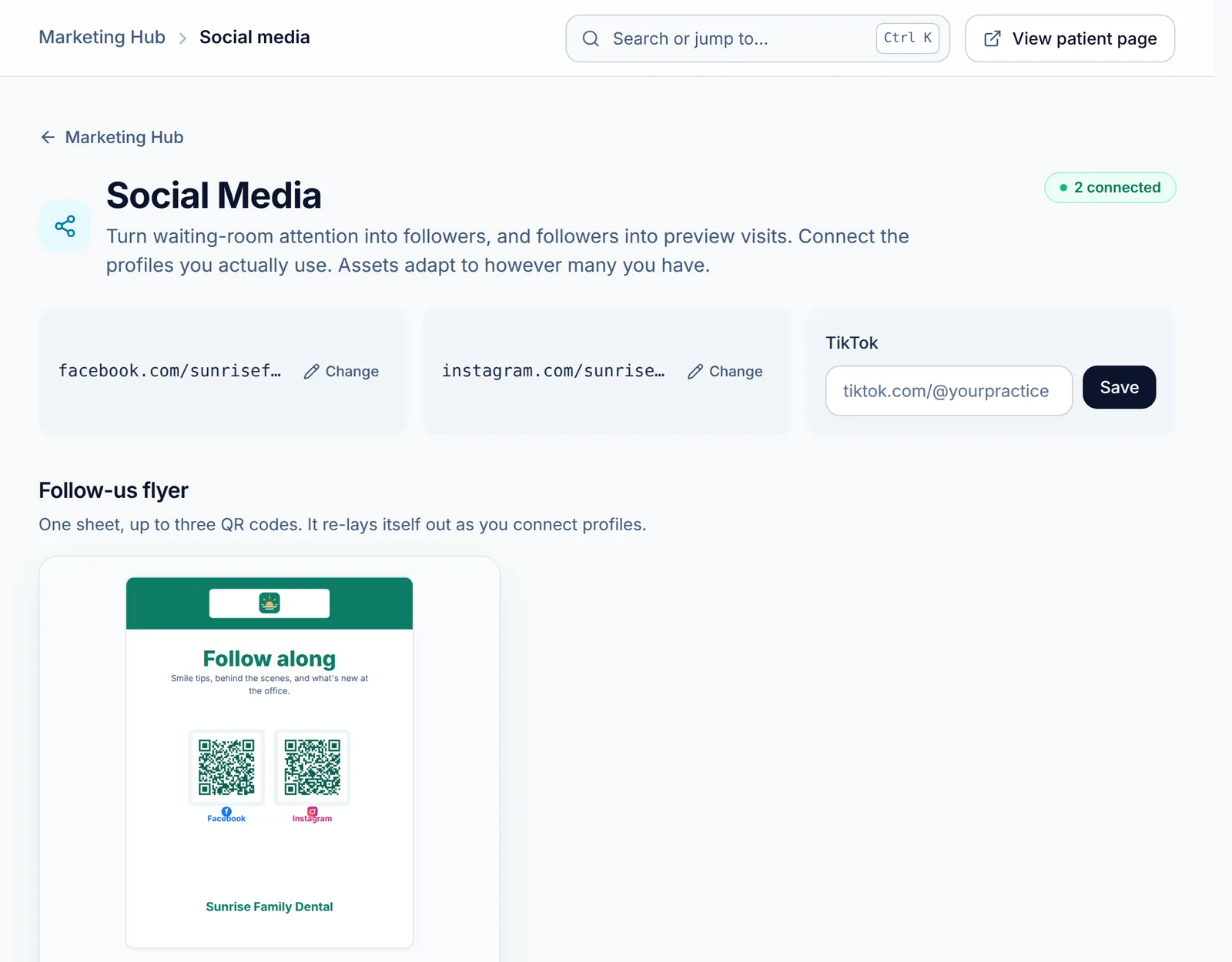
In the Marketing Hub, open Social Media. Paste the Facebook, Instagram and TikTok profiles you actually use and click Save on each. Each link is locked to the platform’s real address, because it ends up inside printed QR codes.
As soon as one is connected, the Follow-us flyer appears: one sheet with up to three QR codes. Click Preview & print to print it.
-
Step 2: Generate a post image
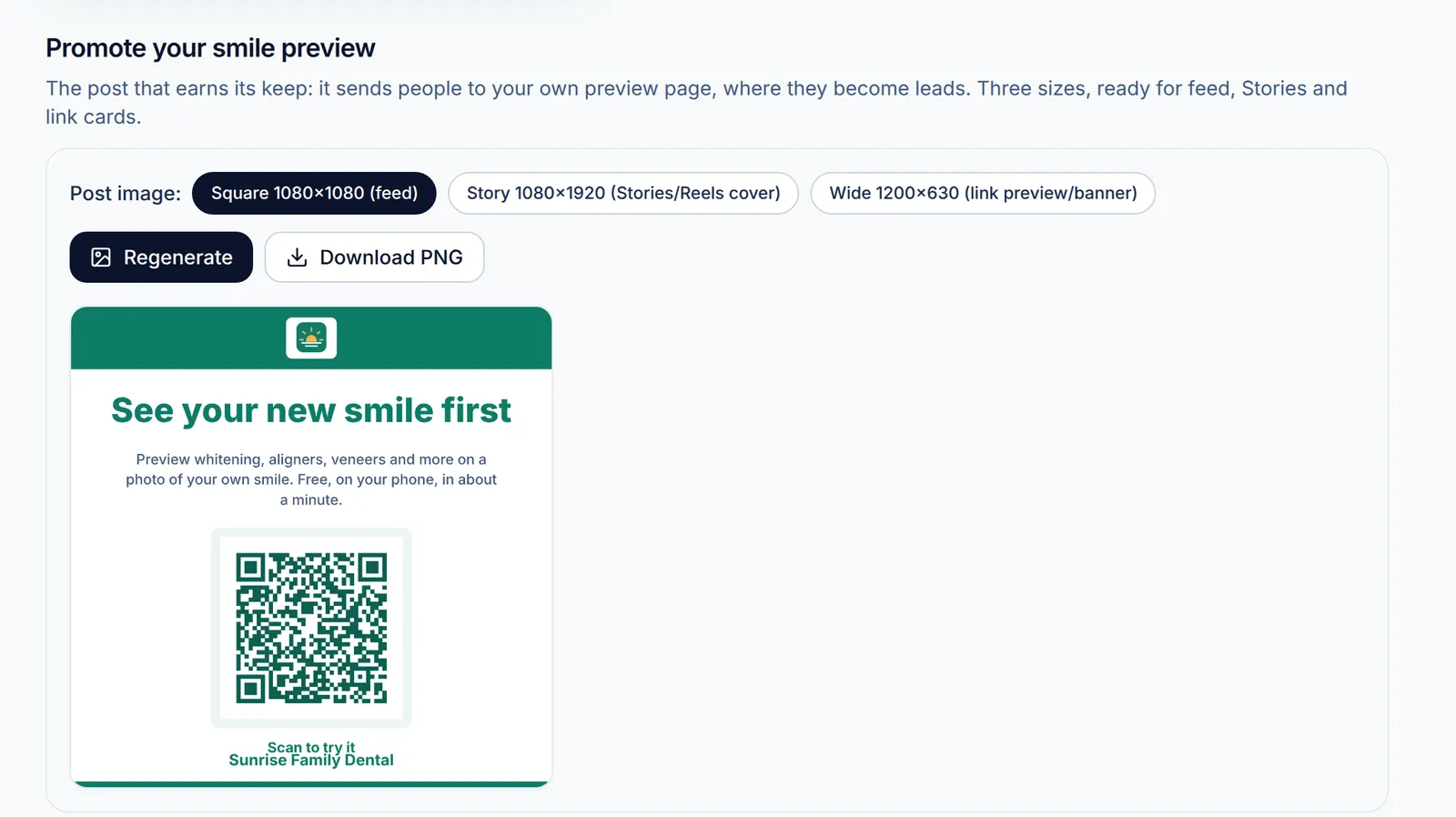
Under Promote your smile preview, pick a size: Square 1080×1080 for the feed, Story 1080×1920 for Stories and Reels covers, or Wide 1200×630 for link previews. Click Generate image (it becomes Regenerate afterward), then Download PNG.
The image carries your brand and a QR code to your patient page, so people who see the post can try a preview.
-
Step 3: Make review and Yelp posts too
The Google Reviews and Yelp Presence pages each end with their own Social post maker: a feed image that asks for Google reviews without offering anything in return, or one that simply says where to find you on Yelp. Pick a size, generate, and download, the same way.
-
Step 4: Post on a steady rhythm
A rhythm that works: one preview-page post a month, one team or office moment a week, and the follow-us flyer at checkout. Consistency beats volume. For moving images, use the Video Studio.
Related guides
-
Make a promo video in Video Studio
Pick a service and a video type, set the look, edit the slides, and render a real MP4 in your browser.
4 steps · 8 min · 3 screens Read
-
Ask for Google reviews the compliant way
Print Google review flyers and counter cards from your own review link, and use Yelp assets that make you findable without asking.
4 steps · 6 min · 4 screens Read
-
Add Smyly to your website
Paste one of the Website Kit embeds, from the full try-on widget to a single button, so site visitors can preview their own smile.
4 steps · 7 min · 3 screens Read
New to Smyly? See it on your own practice.
Start a 7-day free trial: your branded patient page is live the same day. A card is required at checkout and nothing is charged for 7 days.
Ready to try it?
Everything in this guide is one click from your dashboard. Stuck on a step? Use Send feedback in the app, or email [email protected].
Open your dashboardSomething here doesn’t match what you see? Email [email protected] and we’ll fix the guide.